Commission-free booking software: what practitioners should check
Subscription, commission on payments, card fees: three costs that are easy to mix up. A simple calculation, six questions and a comparison table are all you need to know what a tool will really cost you.
You're a naturopath, sophrologist or reflexologist, and you're looking for commission-free booking software because you don't want to give up a share of every session. With a subscription, you know what you pay; with a commission, the bill grows with your calendar. But "commission-free" doesn't tell the whole story. There are still card fees, paid add-ons and terms that can change.
Here's how to read pricing pages, run the numbers with your own figures and ask the right questions before you sign up, including with Calendrio.
Commission-free booking software: three costs to tell apart
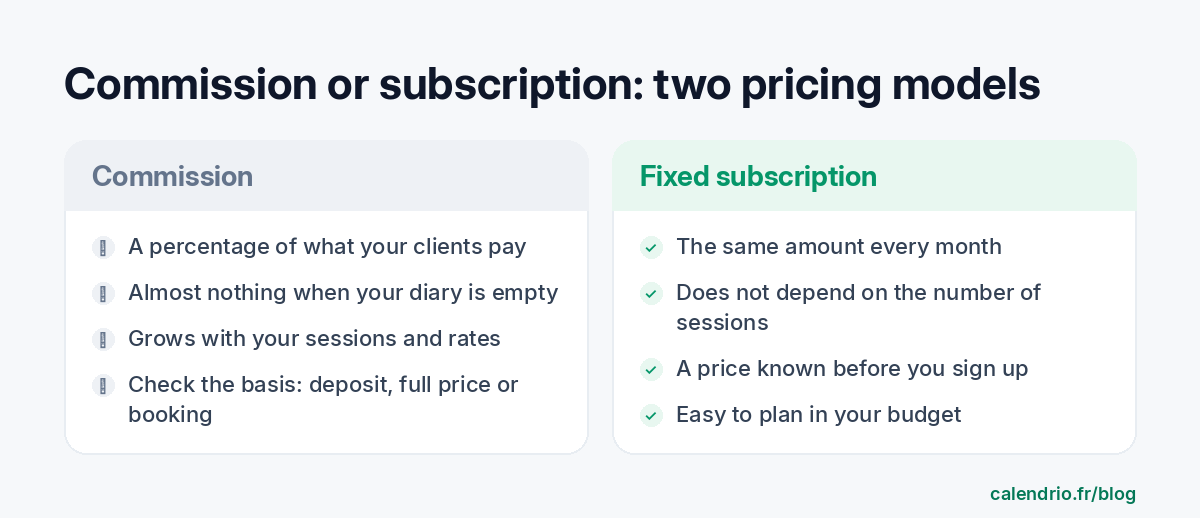
A booking tool can make money in three ways, sometimes combined. Mixing them up means comparing prices that don't measure the same thing.
| What you pay | Based on | What makes it go up |
|---|---|---|
| A subscription | A fixed amount per month or per year | Choosing a more complete plan, add-ons (SMS, team members) |
| A commission taken by the tool | A percentage of what your clients pay, or of each booking | The number of sessions and their price |
| Card fees | Charged by the payment provider on online payments | The amount you collect online |
So a "commission-free" tool may have a subscription, and a "free" tool may make its money through a commission. The real question is: in a normal month of business, how much do you keep?
A naturopath's numbers: commission or subscription?
Take a naturopath working from her own practice. She offers a 1.5-hour wellness assessment and one-hour follow-up consultations. For this example, let's assume 40 consultations a month at an average of €65. These figures are assumptions: replace them with your own.
If all her clients pay for the full session online, she collects €2,600 a month that way. Here's what three commission rates chosen for the example, not those of any specific tool, would cost:
| Example rate | Full payment online (€2,600) | 30% deposit online (€780) |
|---|---|---|
| 1% | €26 a month | €7.80 a month |
| 3% | €78 a month | €23.40 a month |
| 5% | €130 a month | €39 a month |
Three takeaways that apply to every wellness profession:
- A small commission can cost less than a subscription. At 1% of €2,600, you stay below a €39-a-month subscription; with 12 sessions at €65 (€780), even 3% only costs €23.40.
- The cost of a commission grows with your success. At 3%, the same naturopath pays €936 over a year, and more if she raises her prices or takes on more clients.
- What the rate applies to matters as much as the rate itself. A commission on a 30% deposit doesn't weigh the same as a commission on the full amount, or on the price of every booking, even when it's paid at the practice.
For a reflexologist who mostly does home visits, or a yoga teacher who sells group classes, the reasoning is the same: multiply your monthly amount paid online by the advertised rate, then compare it with a subscription.
Questions to send before you sign up
Pricing pages don't always answer everything. The simplest approach is to write to the support team and keep their reply. Here's a message ready to copy:
Template to send to a booking software's support team
Hello,
I'm a [profession] and I'm considering your tool for my bookings. Before I sign up, could you confirm in writing:
– whether you take a commission on bookings or on my clients' payments, and on which plan;
– whether this commission applies to the deposit, to the full amount, or to the session price even when it's paid at my practice;
– who pays the card fees, and at what rate;
– which account my clients' money goes to, and how quickly;
– what happens to the fees if I refund a client who cancels in time;
– whether your terms can change, and with how much notice.
Thank you in advance.
The last question is often forgotten. A plan that's free today can change: what matters is being told in advance and being able to leave with your data.
A table to compare tools side by side
Copy this table and fill in one column per tool with the answers you got in writing. The Calendrio column is already filled in, based on our terms as of 23 October 2026.
| Criterion | Calendrio | Tool A | Tool B |
|---|---|---|---|
| Subscription price | Free €0; Pro €39 excl. VAT per month | ||
| Tool's commission on payments | 0% on paid plans and during the trial; Free: 0% today, 1% possible | ||
| What the commission applies to | Online payments only, nothing on sessions paid at your practice | ||
| Where the money goes | To your own Stripe account | ||
| Card fees | Fees from Stripe, the payment provider, may apply: check the net amount you receive | ||
| Notice before a change | At least 30 days before any commission on the Free plan | ||
| Online payment method | Card |
Can you make clients pay the card fees?
As a rule, no. In France, businesses are not allowed to add a charge for using a particular payment method, cards included: this is article L112-12 of the French Monetary and Financial Code, as the Institut national de la consommation points out. The European Union's official portal sets the same rule for customers' card payments, both in store and online. A business may, however, set a minimum amount for accepting cards, as long as it is clearly displayed.
In practice, payment fees are part of your business costs. Build them into your session prices instead of charging them separately. To see how this cost fits with your cancellation policy, or whether you should talk about a deposit (acompte) or a holding deposit (arrhes), see our article on acompte vs arrhes deposits, and have your terms checked by a legal professional if your situation is unusual.
To estimate it, ask your payment provider for its per-transaction rate and apply it to your monthly amount paid online, just like the commission above. If you refund clients who cancel in time, also ask whether the fees on the original payment are returned to you.
Do you take a commission on my appointments or payments?
On paid plans and during the one-month trial, Calendrio takes no commission on your clients' payments. On the Free plan, the commission is 0% today; our terms and conditions of sale provide that Calendrio may one day keep 1% of each online payment on this plan only, after informing you at least 30 days in advance.
Appointments paid at your practice, in cash or through your own card terminal don't go through Calendrio: nothing is taken from them. For online payments, your clients' money is paid automatically into your own Stripe account, Stripe being the payment provider. Calendrio takes nothing from it today, whatever the plan; only Stripe's fees may apply. To turn it on: Settings → "Receive my payments online" → "Set up my payments" (identity and bank details). Then check the amount received on a first payment in your Stripe dashboard.
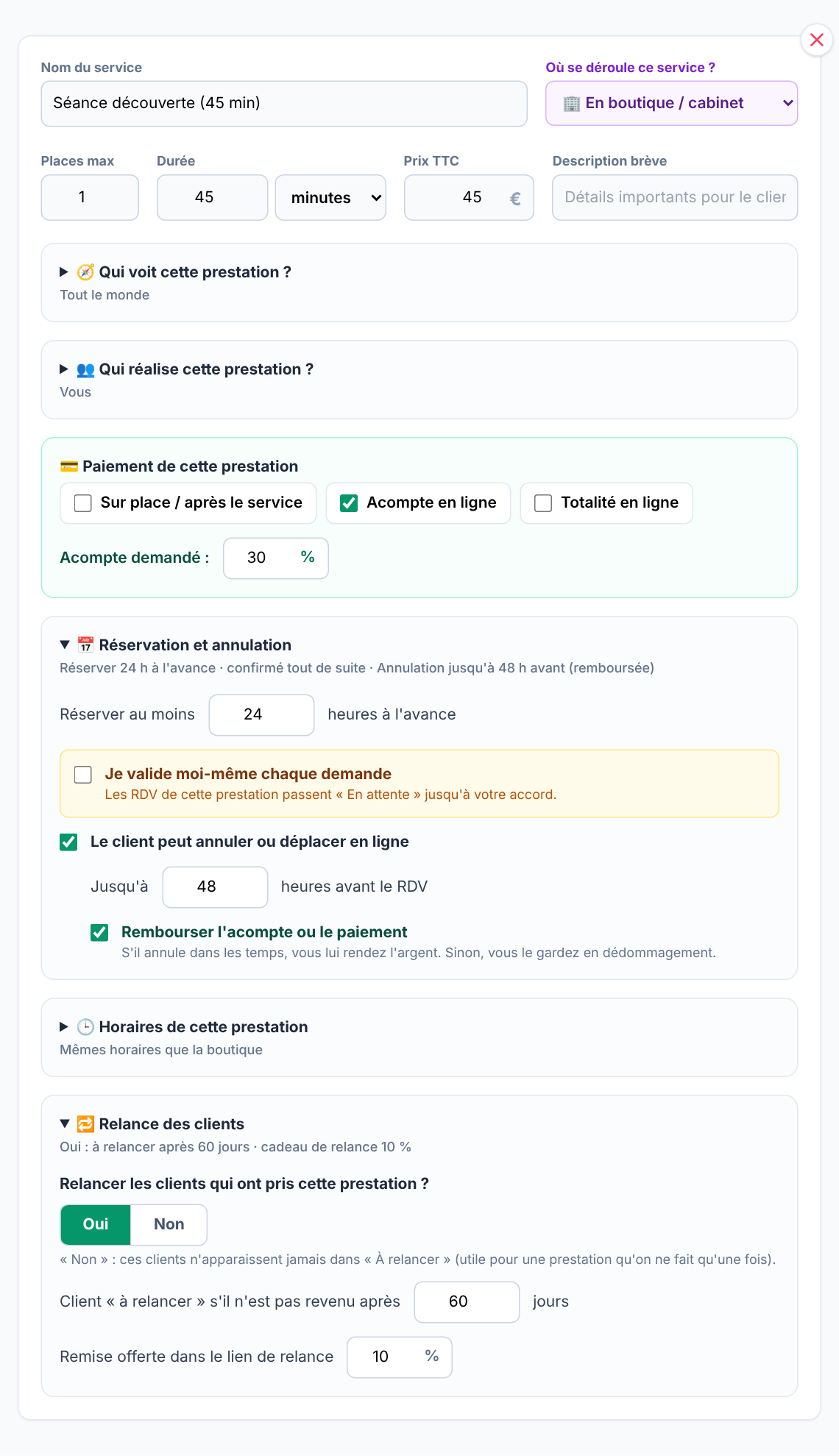
Payment is set service by service: on site, online deposit (at the percentage you choose) or full payment online, with your own cancellation and refund rules.
What Calendrio doesn't do: it can't collect online payments for you without your own Stripe account, and online payment is by card. The Free plan is limited to 2 services and 30 contacts; SMS reminders, session packages and group sessions require a paid plan, such as Pro at €39 excl. VAT per month. Full details are on the Pricing page.
- Tell apart the subscription, the tool's commission and card fees: they are three different costs.
- Calculate the commission on the amount you actually collect online, and check what it applies to (deposit, full amount, booking).
- Ask in writing how much notice you'll get if the terms change.
- Card fees can't be charged to clients: build them into your prices.
- Calendrio: 0% commission on paid plans and during the trial; 0% today on the Free plan, with a possible 1% announced 30 days in advance.
What Calendrio offers wellness practitioners
Calendrio gives you a booking page in your name, online payment set session by session and paid into your account, sync with Google Calendar or Outlook and an email reminder the day before, starting with the free plan. To see how the tool adapts to your profession, visit the wellness practitioners page.
The best way is to see for yourself: try Calendrio free for one month, with no credit card and no commission on your payments during the trial.
Frequently asked questions
Do you take a commission on my appointments or payments?
Can I add card fees to the price my client pays?
Is a commission always more expensive than a subscription?
Do I need a Stripe account to take online payments with Calendrio?
What if your calendar filled itself?
With Calendrio, your clients book online 24/7 and receive automatic reminders. 1-month free trial, no credit card required.
Try Calendrio for free