Systeme.io and Calendly: bring your sales page, booking and reminders together in one tool
systeme.io for the sales page, Calendly for booking: a common pairing among practitioners. Here is what gets lost between the two, what a single tool changes, the real price, and the cases where you are better off keeping systeme.io.
Many practitioners use systeme.io and Calendly together: the first for the sales page and emails, the second for booking. It works. But information gets lost between the two tools: someone who has just booked can still receive your “book your session” emails, and your contacts live in two separate lists. Calendrio brings these steps together in a single tool; it does not replace everything systeme.io does, and this article also tells you when to keep it.
A useful clarification: systeme.io also offers its own booking calendar, included in its free plan. This article is for practitioners who use Calendly instead, and it compares all three options.
Before: a client's journey with two tools
Meet Inès, a fictional health coach. She works with women in one-to-one video sessions. Her clients find her on LinkedIn, click through to her systeme.io page, leave their email in exchange for a guide called “5 simple habits for better sleep”, receive a series of emails, then click a Calendly link to book a discovery call.
On paper, the funnel is complete. In practice, Inès has to manage three small seams:
- Follow-ups that keep going after booking. According to the sources we checked, the two tools do not connect directly: without a connector tool (Zapier, Make…) set up and monitored, a client who already has her appointment still receives the next email, “a few spots are still left this week”.
- Two contact lists. The emails collected are in systeme.io, the bookings in Calendly. To know who came, who didn't show up and who to follow up with, Inès cross-checks by hand.
- Two accounts, two sets of settings, two pages to update whenever she changes an offer or her hours.
After: the same journey in Calendrio
Inès keeps the same path for her client: LinkedIn, a page, a free gift, a few emails, then the booking. The difference is that each step knows what happened at the step before.
| Step | What Calendrio does | Plan |
|---|---|---|
| Sales page | Presentation page (3 templates, photos, offer, FAQ, video), with a button to booking | All |
| Collecting the email | “Welcome gift” block: the guide is sent right away in Inès's name, and the person lands in “My prospects” | All |
| Follow-up emails | Up to 3 emails (day 1, day 3, day 7 by default, editable text), stopped as soon as the person books or unsubscribes | All |
| Booking | Time slots calculated from the session length, Google Meet link created automatically if Google Calendar is connected, optional deposit (Stripe) | All |
| Before the session | Email reminder the day before; on paid plans: up to 3 reminders, by email, SMS or call from an AI assistant | Email: all; SMS and call: paid plans and trial |
| After the session | Client record with history, session notes, “Thank you for your visit” summary, follow-up of clients who haven't come back | All (wider campaigns on paid plans) |
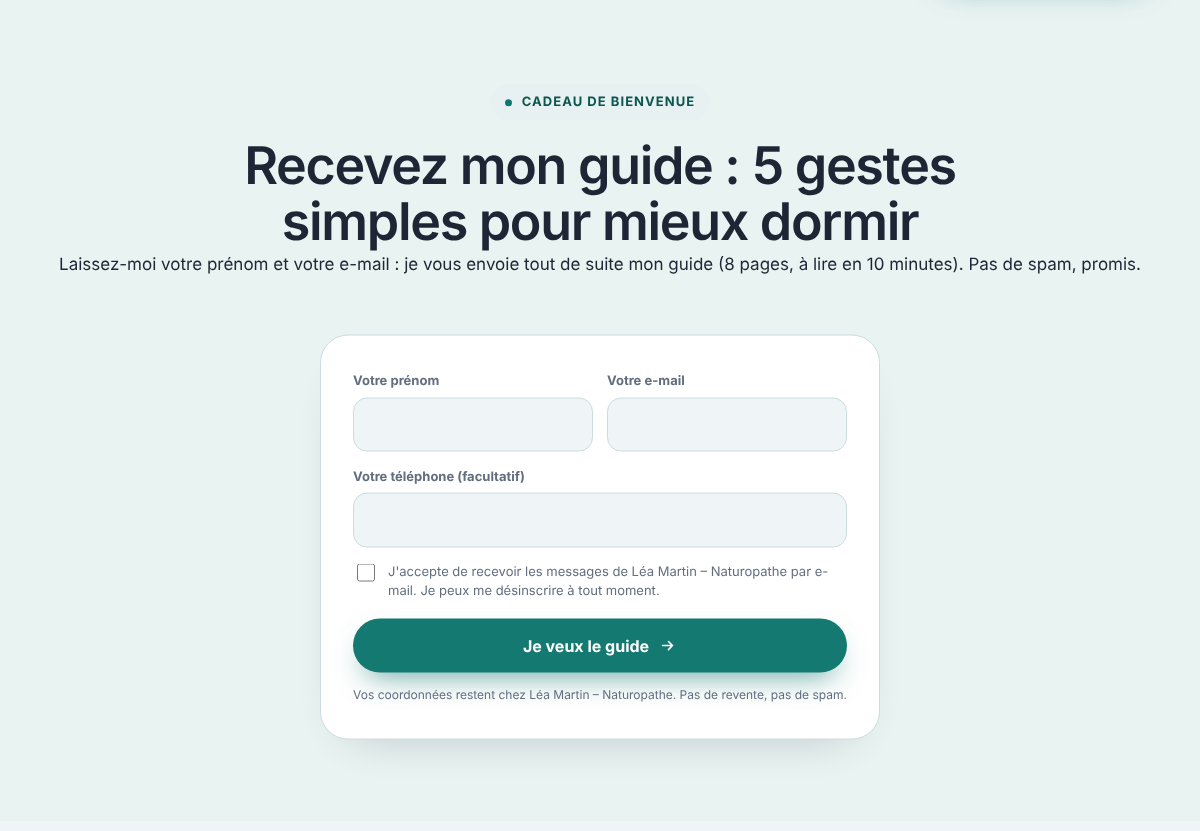
The change that makes the biggest difference for Inès: Calendrio recognizes the same email address. When the person books, their entry in “My prospects” switches to “Session booked” (the status name depends on your profession), linked to their client record, and the email sequence stops on its own, with no connector tool to set up. The form and the emails are explained in detail in your page collects visitors' emails, sends your free gift and follows up for you, and the full journey in building a sales funnel when you work by appointment.
The AI phone assistant: the reminder that talks
A missed appointment costs you a session. An email reminder sometimes gets lost among all the others. In Calendrio, Inès can add a reminder by call from an AI assistant to each appointment: the day before, that same morning or whenever she chooses, her client's phone rings.
- The assistant announces that it is an AI, reminds the client of the appointment, then offers three keys: 1 to confirm, 2 if the client can't make it (she then receives an email with a link to cancel her appointment, and Inès is notified so she can offer another time), 3 to stop receiving calls.
- Price: €0.30 excl. VAT per call, deducted from the account balance, refunded if nobody answers (an email is sent instead).
- Calls Monday to Saturday, 9 am to 8 pm, in French, to a French number. Paid plans and trial.
- Clients can opt out of these calls from their client area.
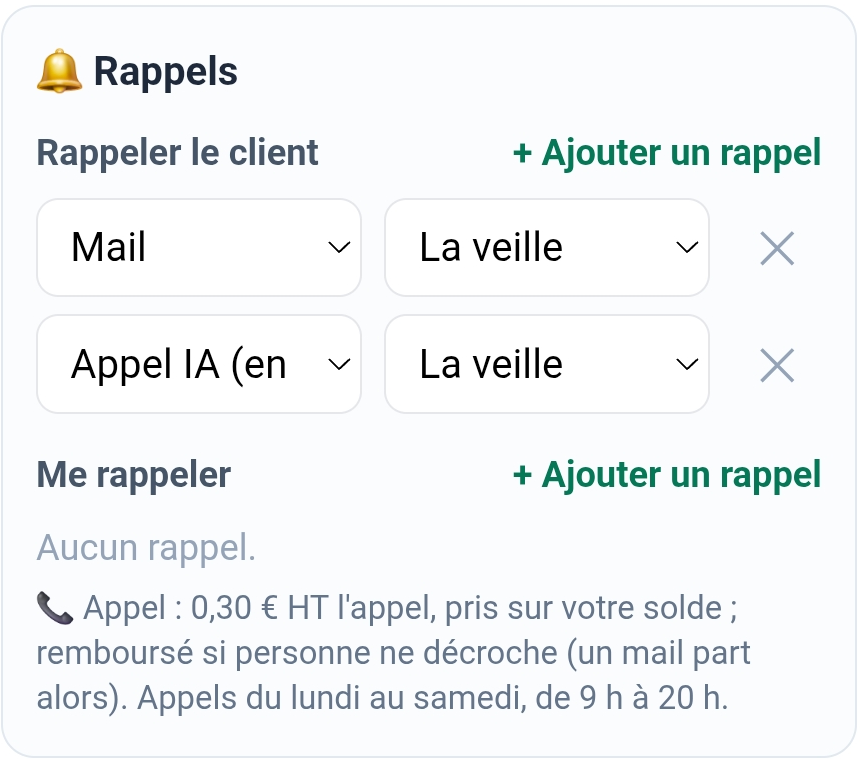
SMS reminders are also available (a number of SMS included each month depending on your plan, then €0.10 excl. VAT each). For a video appointment, the email reminder includes the session link.
systeme.io and Calendly: what each one offers
To compare fairly, here is what the two tools present, based on public sources checked on 31/10/2026 (plans change: check their websites).
- systeme.io: free plan with 2,000 contacts, unlimited emails, 3 sales funnels and 1 course; Startup plan at €17 per month (€14 per month billed yearly) with 5,000 contacts, 10 funnels and a custom domain name. systeme.io also has a booking calendar included in the free plan: email reminders, deposit or full payment via Stripe or PayPal, Google Calendar sync, and every booking creates a contact.
- Calendly: free plan with just 1 event type; Standard plan at $12 per user per month ($10 billed yearly), with unlimited event types and email and SMS reminders.
Price: Calendrio is not necessarily cheaper
Let's be clear: if you use both free plans, you pay nothing today, and Calendrio's free plan is more limited on one point that matters (30 contacts, versus 2,000 with systeme.io). On paid plans, systeme.io Startup and Calendly Standard come to around €17 and $12 per month (prices shown by the sources, with no mention of VAT); Calendrio Pro costs €39 per month, €374 per year (VAT not applicable, art. 293 B of the French tax code, CGI). And if systeme.io's calendar is enough for you, you may need neither Calendly nor Calendrio.
So the reason to switch to Calendrio is not to save a few euros. It is to get rid of the seams between the page, the emails, the booking and the reminder: fewer duplicate settings, an email sequence that stops as soon as someone books, prospect and client records linked together with session notes and follow-ups, and a reminder by call from an AI assistant, which neither of the two tools offers according to the sources we checked.
When to keep systeme.io
- You sell online courses or digital products: Calendrio only sells sessions, packages and gift cards.
- You run a blog or a large mailing list: that is not what Calendrio is built for. On Pro, a campaign goes to 300 clients at most, and only to your clients, not to the prospects in “My prospects”.
- You want your own domain name for your sales page: Calendrio presentation pages stay on the calendrio.fr address.
In these cases, a simple solution: keep systeme.io for your course or blog, and just replace the Calendly link with your Calendrio booking link. The other features for your profession are on the Calendrio for wellness practitioners page, and the comparison with Calendly alone is on the Calendly alternative page.
Try it without breaking anything
There's no need to move everything at once. Inès starts with three steps: create her discovery call in Calendrio, put that link in place of Calendly in her latest systeme.io email, and turn on the day-before reminder. If her clients book and show up, she then moves her page and her free gift to Calendrio. If not, nothing has been lost.
Want to give it a try? Create your account with this link: 3 months free for any sign-up made through this link until 30 November 2026, no credit card required.
— The Calendrio team
Frequently asked questions
I already have systeme.io and Calendly: why switch?
Can Calendrio replace systeme.io?
How does the AI assistant reminder call work?
Can I keep systeme.io and use only Calendrio's booking?
How is it different from Calendly / Planity / Doctolib?
Is the video call link created automatically?
What if your calendar filled itself?
With Calendrio, your clients book online 24/7 and receive automatic reminders. 1-month free trial, no credit card required.
Try Calendrio for free- Digitiz — Mon avis sur Systeme.io en 2026 : test complet (modifié le 05/10/2026, consulté le 31/10/2026)
- Jotform — Calendly pricing & plans (mis à jour le 02/03/2026, consulté le 31/10/2026)
- systeme.io — Calendrier de réservation (page officielle, consultée le 31/10/2026)
- Zapier — Calendly + systeme.io : désinscrire des campagnes à chaque réservation (consulté le 31/10/2026)
- Communauté Calendly — « calendly x systeme io » : pas d'intégration native (réponse non datée, consultée le 31/10/2026)
- zeeg.me — Calendly Standard plan, rappels e-mail et SMS (consulté le 31/10/2026)