Group classes · Tables and rooms · Seminars · Webinars
Your classes, your seminars and your webinars Limited seats, online registration, reminders and the video link sent without you.
A yoga class, a workshop, a two-day training course or a free webinar to get known: your clients register on your page, and Calendrio takes care of the rest.
3 months free · no credit card
The problem
For a class or a webinar, you have to count seats, answer everyone, send the video link the day before, remind those who forget and follow up afterwards. Done by hand, it takes longer than the session itself.
What Calendrio does
Group sessions with limited seats
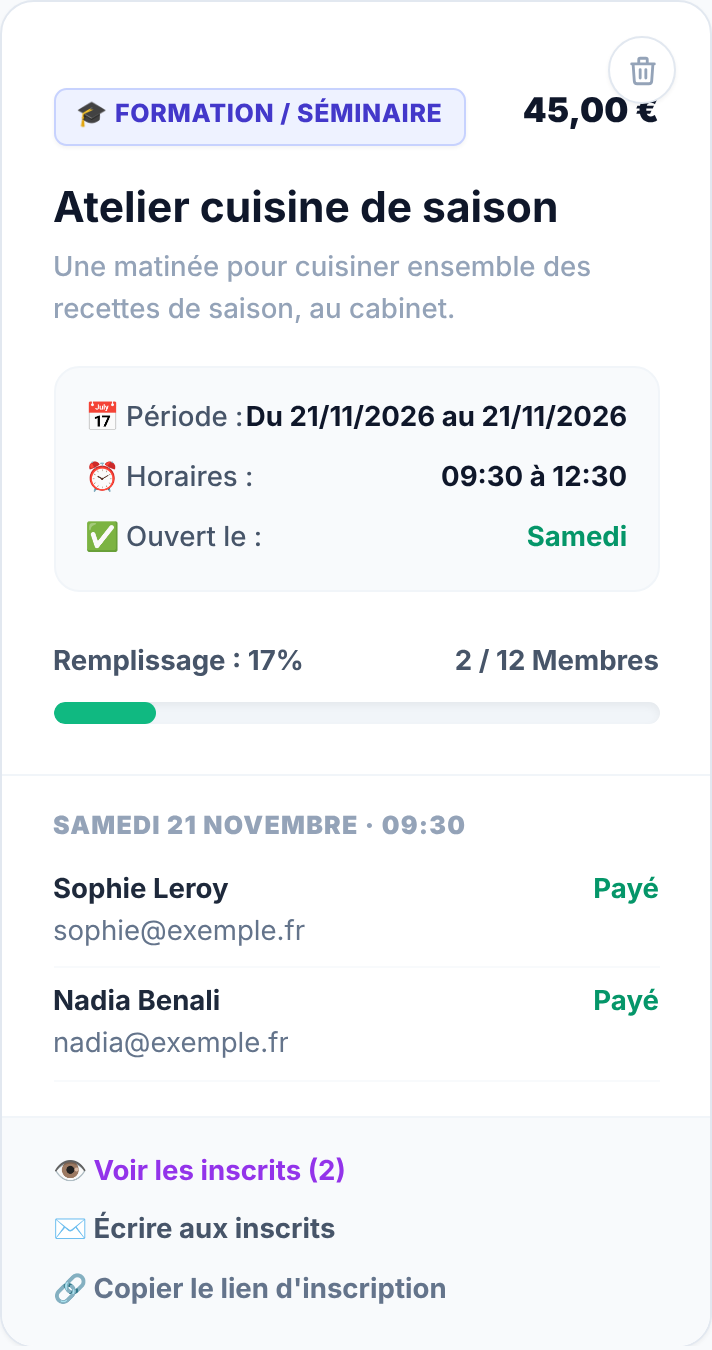
A time, repeat days, a price and a number of seats. Your page shows "N left" when 2 seats or fewer remain, and a full class is no longer offered. You see registrants / seats and the fill rate.
Tables, rooms and desks
Bookable restaurant tables, meeting rooms or offices, with the equipment and access instructions, sent in the confirmation email.
Training courses and seminars
A training course over several days, with a start date and an end date, an address and access instructions.
Online webinars
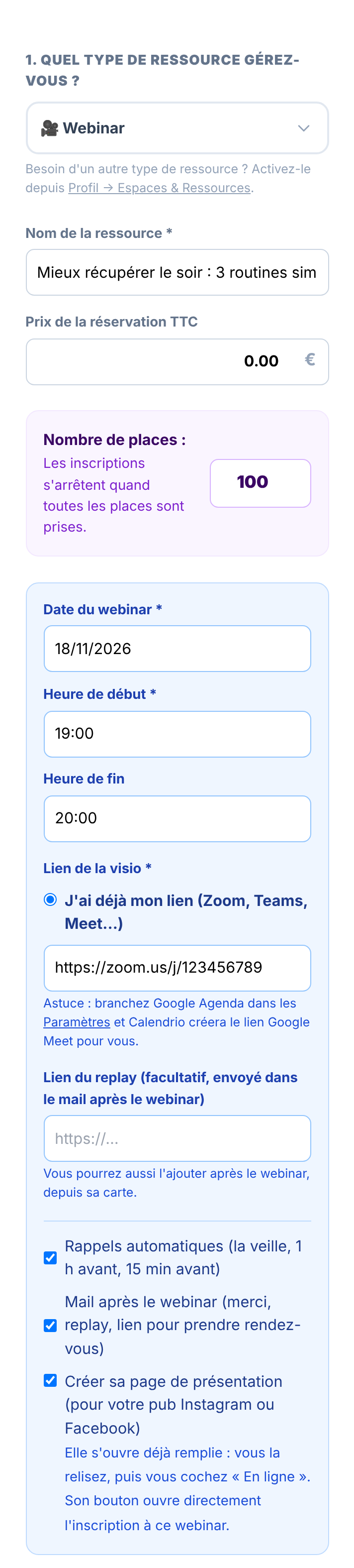
A date, a time, seats. The Google Meet link is created automatically if your Google Calendar is connected; otherwise, you paste your Zoom, Teams or Meet link. A past webinar disappears from your page.
The video link and the reminders, sent for you
Every registrant receives a confirmation with the link, then reminders the day before, 1 hour before and 15 minutes before (adjustable). Classes and seminars get an email reminder the day before.
A follow-up email, with the replay
After the webinar, a thank-you email goes out with the replay if you added one, and a link to book an appointment with you.
The list of registrants, and "Write to registrants"
You receive an email for each registration, you see the list of registrants per session and you can write to all of them at once. A direct registration link for each session is ready to copy.
Cancellation under your rules, presentation page ready
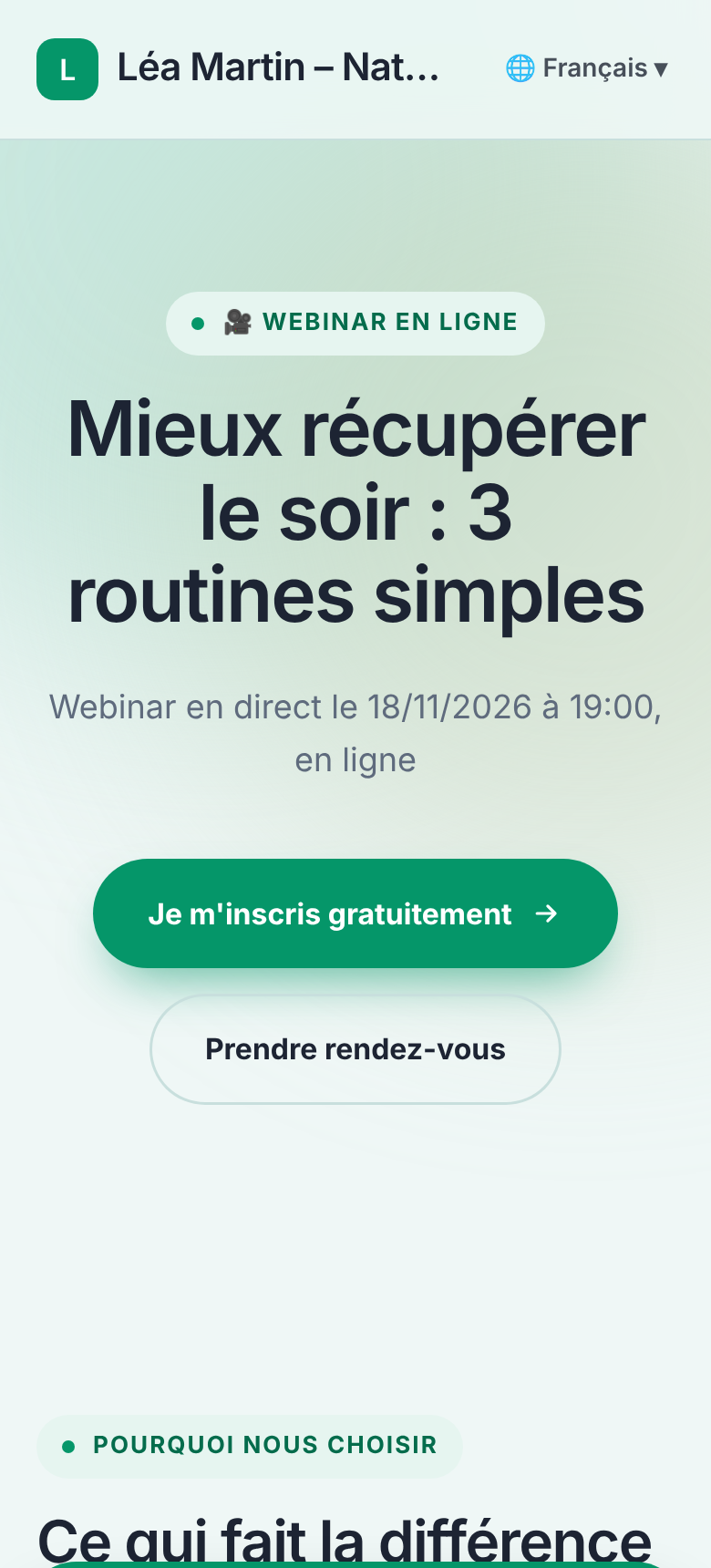
If you allow cancellation, the email contains a link to cancel within the time limit you set. For a webinar, Calendrio also creates a presentation page already filled in, whose button opens registration.
What it looks like
Real screenshots of Calendrio, taken on a demo account with fictional data.

How to do it in Calendrio
-
Open "Groups & Spaces"
In your account, the "Groups & Spaces" menu gathers your classes, tables, rooms, training courses and webinars. Click "+ Create a Space / Class".
-
Choose the type
Group class, Training / Seminar, Table, Room / Office or Webinar. If a type does not appear, enable it in Settings, "Available resource types" block. For wellness and sport, Group class and Webinar are already on.
-
Fill in the session
Name, price (0 for a free session), number of seats, time and repeat days for a class; date, times and video link for a webinar, with the boxes for automatic reminders, follow-up email and presentation page.
-
Share the registration link
On the session card, "Copy the registration link": it opens your booking page with the session already selected. For a webinar, share its presentation page instead.
-
Track registrants
Still on the card: "View registrants", "Write to registrants", and the "Video link, replay and reminders" settings to add the replay after the session.
For which plan?
Prices are on the Pricing page, with no commitment.
Free plan
Classes, tables, rooms, seminars and webinars are not included in the free plan. The free plan keeps booking for individual services.
Paid plans and trial
All paid plans (Pro, Team, Network, Team Leader, Enterprise) and the free trial include classes, tables, rooms, seminars and webinars.
Frequently asked questions
Do my registrants need to create an account?
No. They choose the session on your page, leave their name and email, and receive their confirmation, with the video link for a webinar.
Can I charge for a class or a webinar?
Yes. Payment for a session follows your account setting: on site, deposit or full amount, by card through Stripe. A free session never goes through online payment. Gift cards and packages do not apply to group sessions.
How many people can attend my webinar?
You set the number of seats. With a Google Meet link created from a free Google account, Google limits the meeting to 100 people and 60 minutes; with your own Zoom or Teams link, your subscription's limits apply.
Do registrants get an SMS reminder?
No. For group sessions, reminders go by email: the day before for a class, and the day before, 1 hour before and 15 minutes before for a webinar. SMS reminders exist for individual appointments, with paid plans.
Your account is ready in 2 minutes.
Try for free3 months free · no credit card
See also: Presentation pages · Classes and training · Yoga and Pilates · Your tools
— The Calendrio team