Presentation pages · Email form · Figures per page
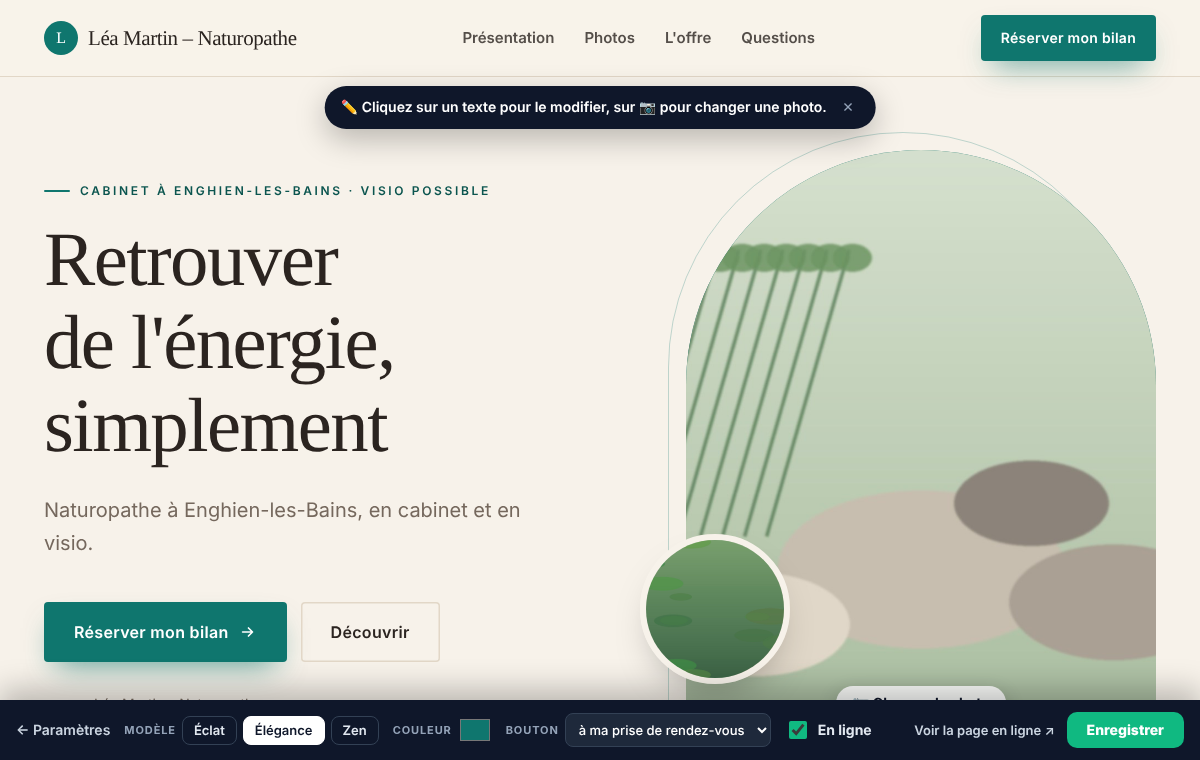
Your presentation page, in your image A real online showcase, with a button to book and a form to keep in touch.
No website or agency needed: you choose a template, click a text to change it, and your page is online with its link to share.
3 months free · no credit card
The problem
A booking link alone does not say who you are. A website is expensive, an Instagram profile does not always convince, and visitors who do not book right away leave without a trace.
What Calendrio does
3 design templates
Éclat, Élégance or Zen: a gallery of up to 8 photos, your strengths, your offer, your steps, your reviews and your FAQ. You edit the wording directly on the page, already filled with examples.
A main page and up to 20 extra pages
One page per offer, per service or per audience, each with its own link. Your wording is translated automatically for foreign visitors, and you can correct the translation.
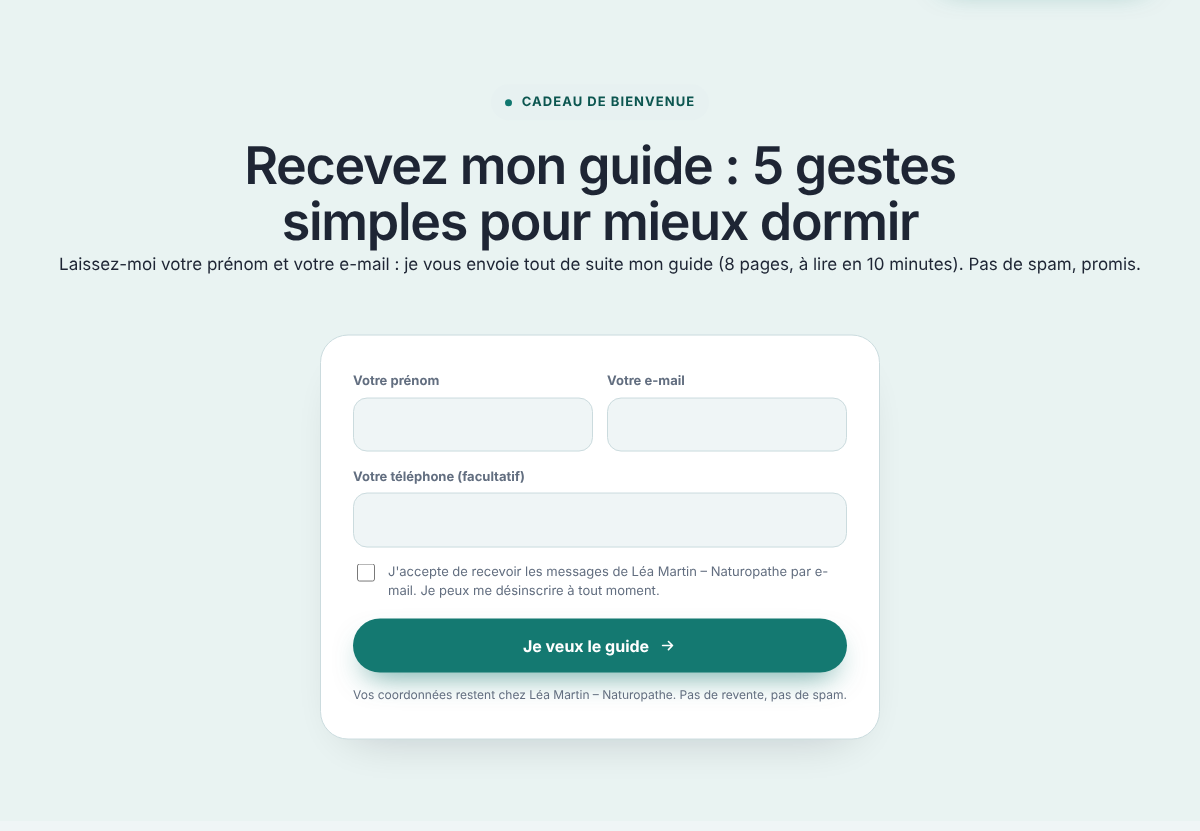
Email form with a gift
The visitor leaves their first name and email in exchange for a gift (guide, video…) sent right away, in your name. They land in "My leads" and you receive an email with their record.
Sequence of 3 automatic emails
If you turn it on: up to 3 emails (day 1, day 3 and day 7 by default), with editable wording, sent in your name. The sequence stops by itself as soon as the person books, replies or unsubscribes.
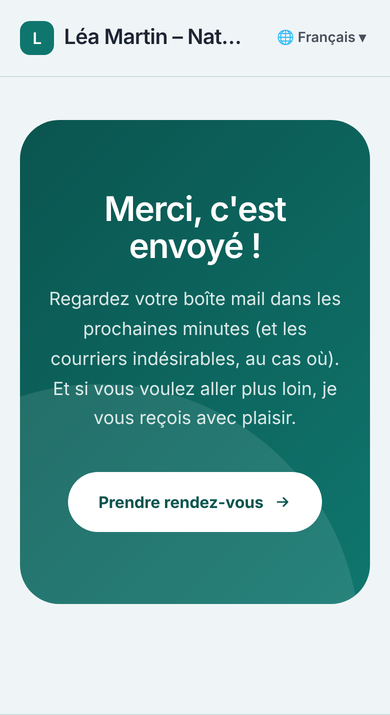
Thank-you page
After the form, the person sees your thank-you page: with a button to the booking page, to another link, or with no button. The wording is yours.
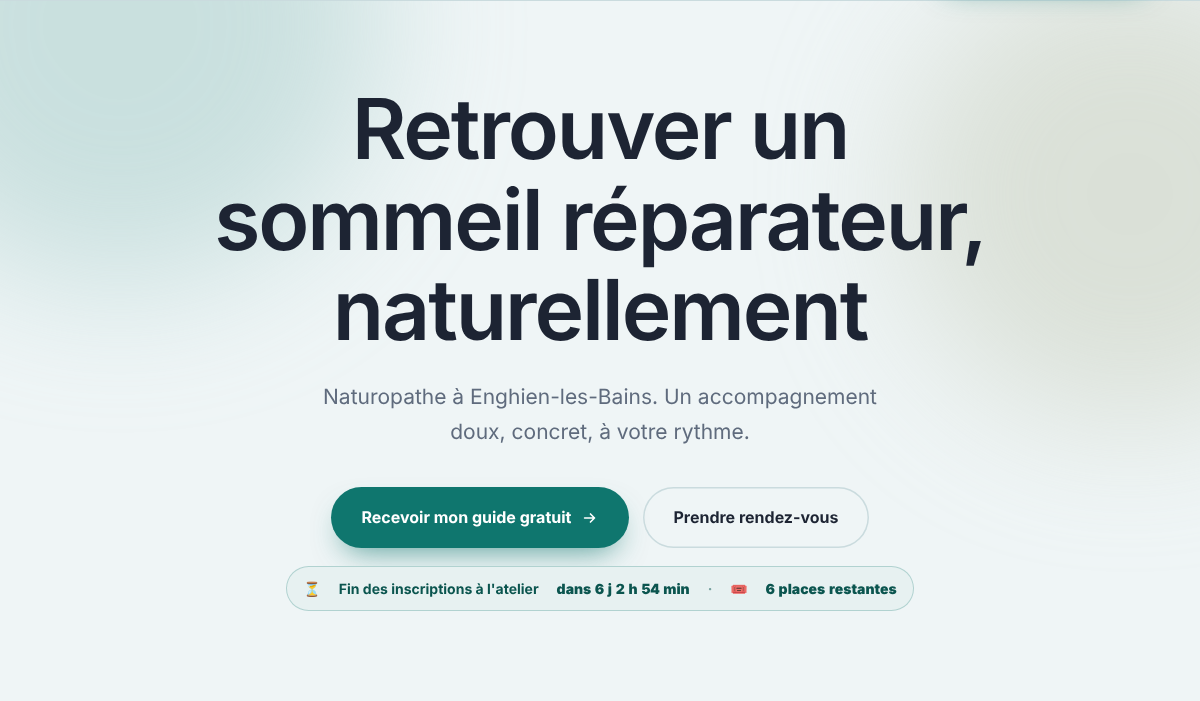
Video, countdown and remaining seats
A YouTube or Vimeo link, played only on click. Under the button, a countdown to a real date and a real number of seats, which you set yourself. With a webinar, the date and remaining seats are worked out automatically.
Duplicate and compare
Duplicate a page, change one thing (title, photo, offer), share both links: the "Compare my pages" table shows views, clicks, emails and appointments over the last 30 days.
Figures per page and ad tracking
Under each page that is online: views, clicks, emails left and appointments over 30 days, by source (Google, TikTok, Facebook and Instagram, direct link…). With a paid plan, bookings and payments coming from your Meta, TikTok and Google Ads campaigns are sent back to your ad tools, only for visitors who accepted the banner.
What it looks like
Real screenshots of Calendrio, taken on a demo account with fictional data.
How to do it in Calendrio
-
Open your pages
In your account, go to Settings, then "My presentation pages". Your main page is already there; add a page with the form at the bottom if you want several.
-
Edit it on the page itself
Click "Edit my page": it opens already filled with examples. Click a text or a photo to change it; the bottom bar sets the template, the colour and what the button does.
-
Turn on the email form
In the bottom bar, tick "Email form", paste the link to your gift and choose what happens "After the form". The "Email sequence" button sets up the 3 automatic emails.
-
Add a video or a countdown
Still in the bottom bar: "Video" for a YouTube or Vimeo link, "Urgency" for a date and a number of seats.
-
Put it online and share
Tick "Online", then "Save". Back in Settings, "Copy the link" gives you the address to share, and the figures for the last 30 days appear under the page.
For which plan?
Prices are on the Pricing page, with no commitment.
Free plan
Presentation pages, the email form with a gift, the email sequence, video, countdown, duplicate-and-compare and figures per page are included. The page carries the line "Page created with Calendrio".
Paid plans and trial
Everything above, without the "Page created with Calendrio" line, plus tracking of Facebook, Instagram, TikTok and Google Ads campaigns.
Frequently asked questions
Can I use my own domain name?
No. Each page has its own address on calendrio.fr, to share or to put in your Instagram bio, your WhatsApp status or your Google listing. There is no menu between your pages either: each one is made to be shared on its own.
Is the gift sent right away?
Yes. As soon as the person submits the form, the email goes out in your name, with the gift link you set. Without a gift link, they receive a welcome email with your booking link. Every email contains an unsubscribe link.
Is the countdown fake?
No. You enter a real date and a real number of seats, which you keep up to date; the banner disappears once the date has passed. With a "register for a webinar" button, the date and remaining seats come from real registrations.
How many pages can I create?
A main page and up to 20 extra pages, each with its own link and its own wording, photos and settings.
Your account is ready in 2 minutes.
Try for free3 months free · no credit card
See also: Clients and campaigns · Classes and webinars · Your tools
— The Calendrio team