Client records · Leads · Email and SMS campaigns
Your clients and your campaigns, in one place Find every client, follow them up at the right time and write to everyone at once.
Every appointment feeds the client's record. When it is time to see them again, Calendrio tells you, and you write to them in a few clicks, in your name.
3 months free · no credit card
The problem
Clients are in the phone, in a notebook and in the mailbox. You no longer know who has not come back for a long time, follow-up messages go out one by one, and people who asked for information without booking are soon forgotten.
What Calendrio does
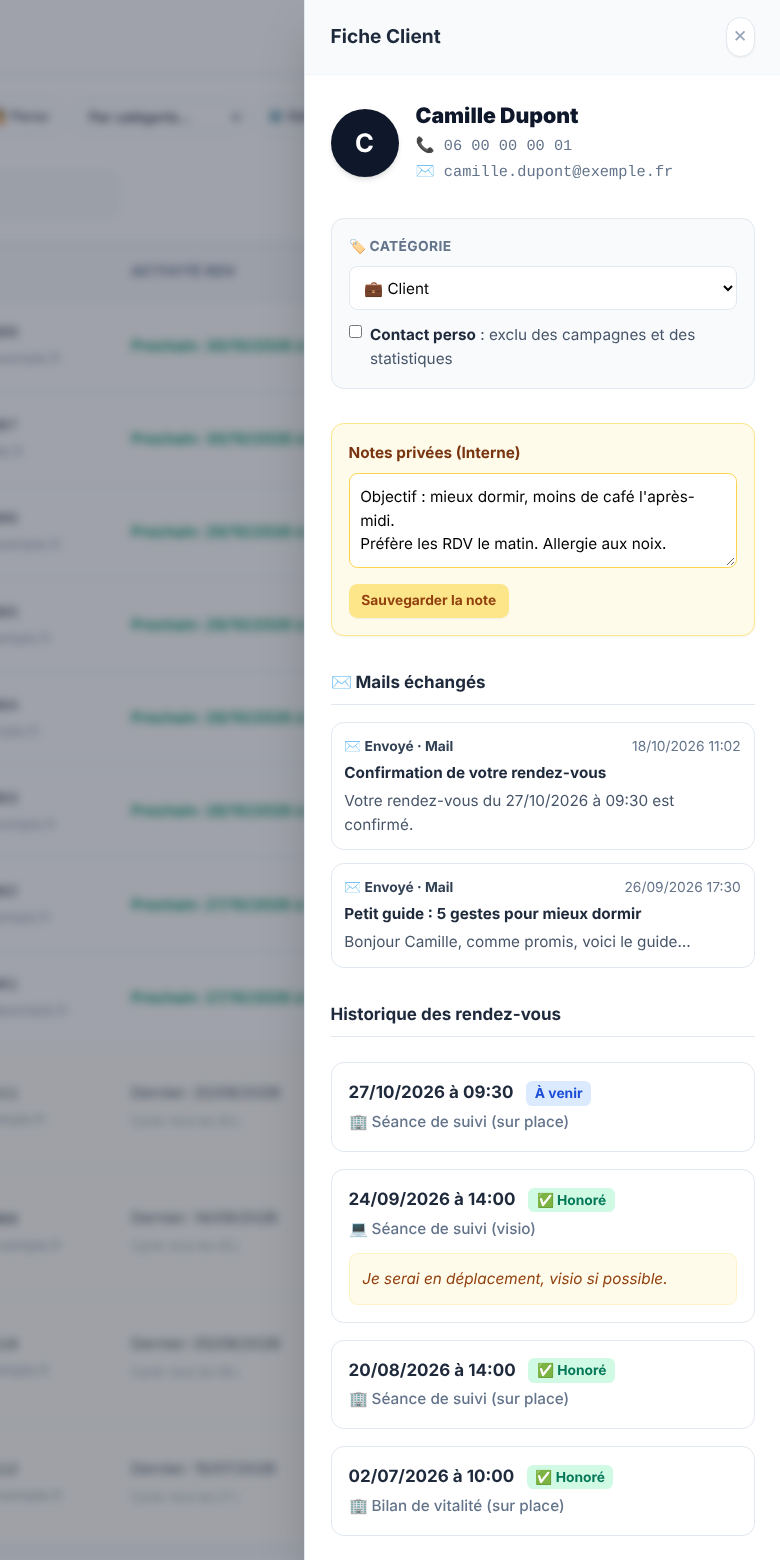
A record per client
Appointment history, private notes, categories, emails exchanged, documents and a report for each appointment. A "personal contact" (family, friends) is never followed up. For legal professions, case tracking.
Your clients imported from Excel or a CSV file
You do not start from scratch: import your file in a few clicks, or add a client by hand. Bulk actions (category, campaign) apply to a whole selection.
My leads: the people who have not booked yet
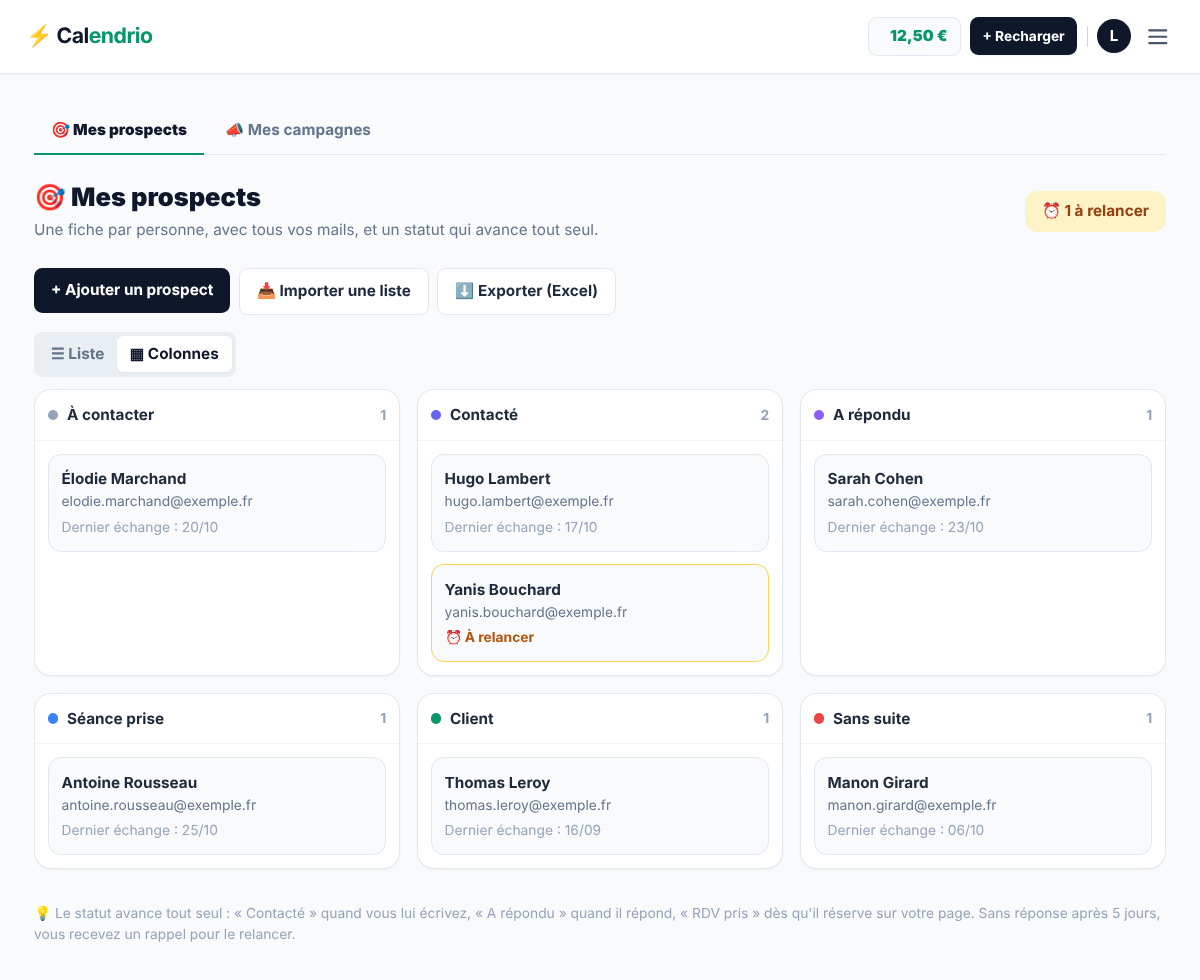
One record per person, with all emails exchanged, a status that moves forward by itself, reusable lists, a filter by status and a "Remind me to follow up on…" reminder. People who leave their email on your presentation page land there by themselves.
Follow-ups at the right time
Service by service, you choose whether clients should be followed up, after how many days and with what discount. The clients concerned appear as "To follow up" in your list; in one click, you write to them.
Email or SMS campaigns
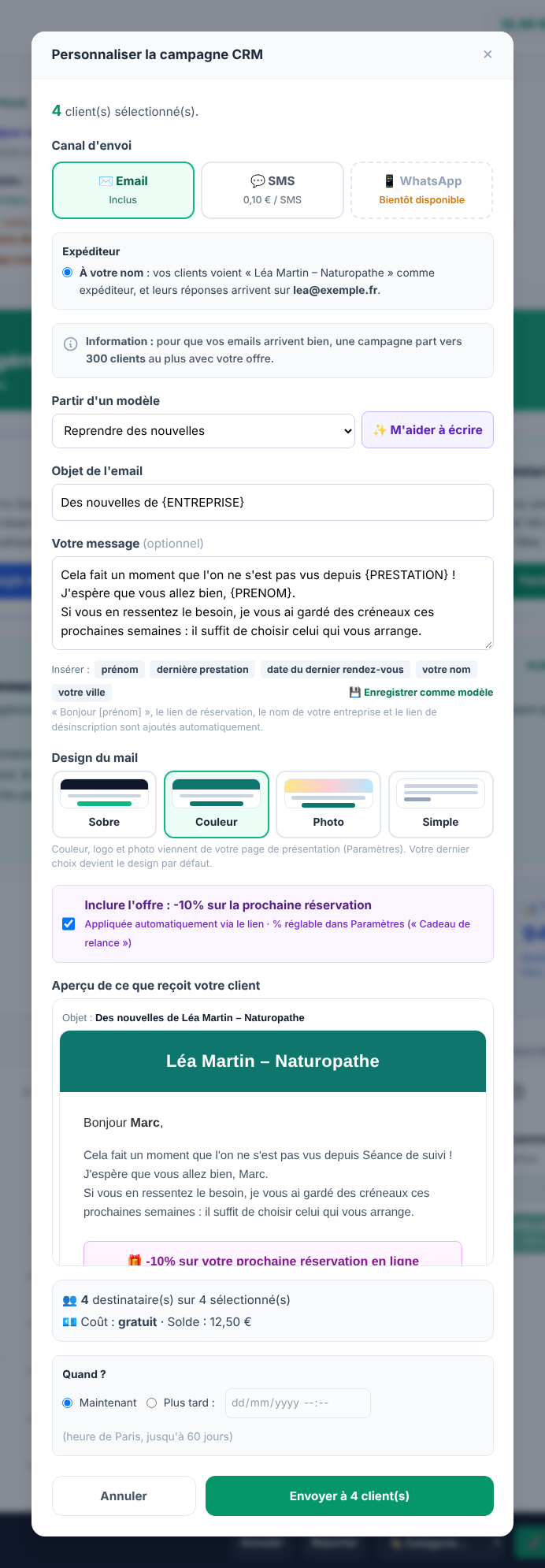
Tick some clients or a whole list, write your message and send. The client sees your name as the sender and their reply lands in your mailbox. Every message contains an unsubscribe link.
Templates, designs and writing help
10 ready-made templates (checking in, free slots, missed appointment, birthday, referral…), 4 email designs (Plain, Colour, Photo, Simple), the first name or last service inserted in one click, your own saved templates, and "Help me write" by the AI assistant.
Scheduled sending and results
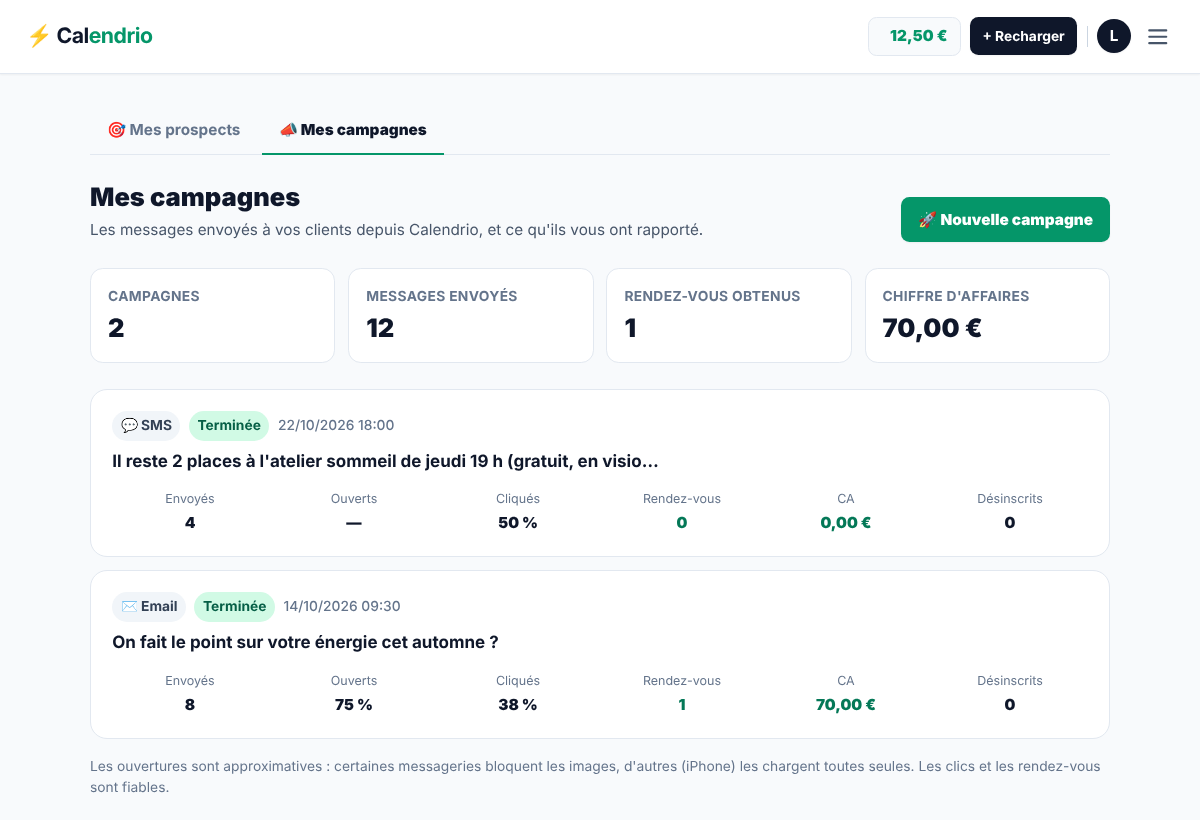
Send now or later, on the date and at the time of your choice, and stop it before it goes out if needed. In "My campaigns": sent, opened, clicked, appointments booked through the link and unsubscribes, client by client.
The morning briefing
An email around 8 am, only on days when something happened the day before: emails left on your pages, replies from leads, appointments booked through your campaigns. Nothing the day before, no email.
What it looks like
Real screenshots of Calendrio, taken on a demo account with fictional data.
How to do it in Calendrio
-
Find your clients
In "Calendar & CRM", your client list is below the calendar. Click a name to open their record; the "Import" button takes your Excel or CSV file.
-
Set up follow-ups
In Settings, open each service: you choose whether its clients are followed up, after how many days and with what discount. The "To follow up" filter in the client list updates by itself.
-
Launch a campaign
Tick the clients (or the whole filtered list), then "Launch a CRM campaign". Choose email or SMS, start from a template, insert the first name, pick the design, check the preview: it is exactly the email that will be sent.
-
Send now or later
In "When?", choose "Now" or "Later" with the date and time. The campaign then appears in "My campaigns" with its results, and can be stopped before it goes out.
-
Track your leads
In "Prospecting & campaigns", every person who has not booked yet has a record: status, notes, emails, list, follow-up reminder on the date of your choice.
For which plan?
Prices are on the Pricing page, with no commitment.
Free plan
Client records, import, My leads, follow-ups, morning briefing and email campaigns are included, with 30 contacts and 5 clients per email campaign. No SMS.
Paid plans and trial
Unlimited contacts with paid plans (30 during the trial), email campaigns up to 300 clients on Pro and 1,000 on Team (5 during the trial), SMS at €0.10 excl. VAT each, "Help me write" by the AI assistant and a Google review request after the appointment.
Frequently asked questions
Do my clients see that the email comes from Calendrio?
They see your name as the sender, and their reply lands in your mailbox. On the free plan, the email carries a small "Sent via Calendrio" line, removed with paid plans and during the trial.
Can I know who replied to my campaign?
Replies land in your mailbox, like a normal email. They are counted in "My campaigns" only if your mailbox is connected to Calendrio for Calendrio Prospecting.
What is the difference between a client and a lead?
A client already has an appointment with you: they are in "Calendar & CRM". A lead is someone who asked for information or left their email without booking: they are in "My leads", and their record is linked to their client record as soon as they book.
How much does an SMS cost?
€0.10 excl. VAT per SMS, taken from your account balance, with paid plans and during the trial. SMS campaigns are only sent to French mobile numbers.
Your account is ready in 2 minutes.
Try for free3 months free · no credit card
See also: Presentation pages · SMS appointment reminder · Your tools
— The Calendrio team