Visibility: how Calendrio gets you found and brings you clients
A good professional nobody can find has an empty schedule. Here is everything Calendrio does to make you visible and bring you clients, in four steps, plus the three actions to start with this week.
You're good at what you do. The problem is that nobody knows it. A good professional nobody can find has an empty schedule: it's not a question of talent, it's a question of visibility.
Calendrio isn't just a scheduling tool. It's also a shop window that works through the night, tools to get you found, and a service that goes out and finds clients for you. Here is everything it does, step by step, and where to start.
What Calendrio does for you, at a glance
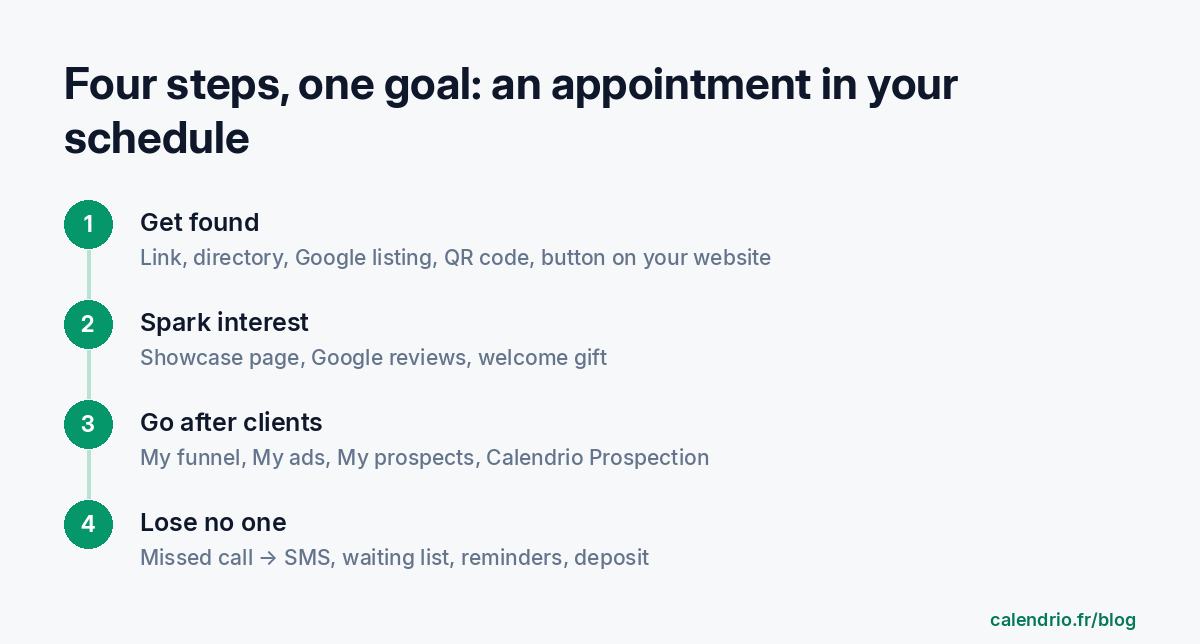
1. Get found where your clients are looking
A booking link in your name. It's your shop window, open 24/7: clients see your free slots and book on their own. At the top of your schedule, you see how many times your page was viewed in 30 days, and the “Appointments booked without you” counter. When a client books during the night, you read about it when you wake up: “While you were sleeping”.
The “Find a pro” directory. Calendrio puts you in front of people looking for a professional near them, with a “Near me” button. It's a checkbox in Settings > Network & visibility. You can also receive requests from businesses in your area.
Your Google listing. Calendrio gives you the “Book” button to paste on Google Maps: people who find you on Google book without calling you. Our Google Business Profile guide explains how to polish your listing.
A QR code and a small poster. For your storefront, your practice, your business cards. The client scans, then books.
A “Book” button on your website. WordPress, Wix, Squarespace, Webflow or Shopify: two minutes, no developer needed. With the WordPress plugin, your client books without leaving your site.
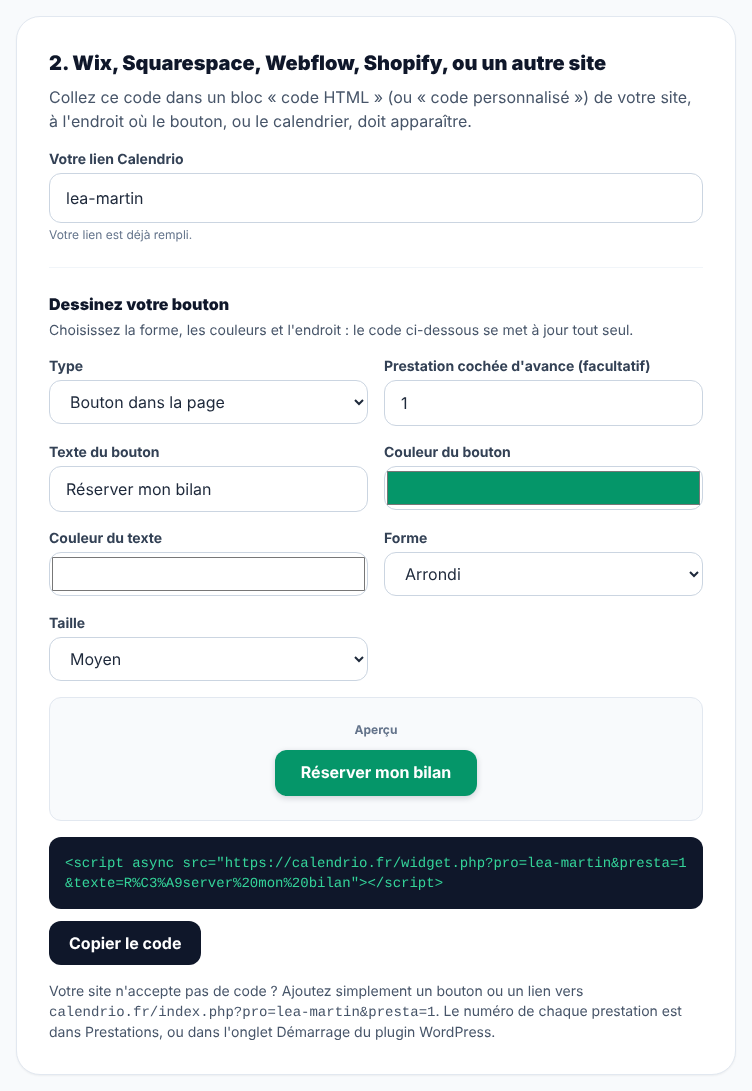
Your social media. Instagram, Facebook, TikTok, LinkedIn, WhatsApp: your link goes in your bio, and each channel has its own tagged link so you know where your bookings come from.
No time to set everything up? Send your hours and services: the Calendrio team prepares your page for free and sends you the link within 2 business days.
2. Make people want to book
Being seen isn't enough. People have to trust you.
A showcase page, no website needed. A real page in your name: your photos, your strengths, your offer, real client reviews, your answers to frequent questions. Three templates to choose from (Radiance, Elegance, Zen). You can create one per offer or per audience. The step-by-step guide is in Free professional landing page.
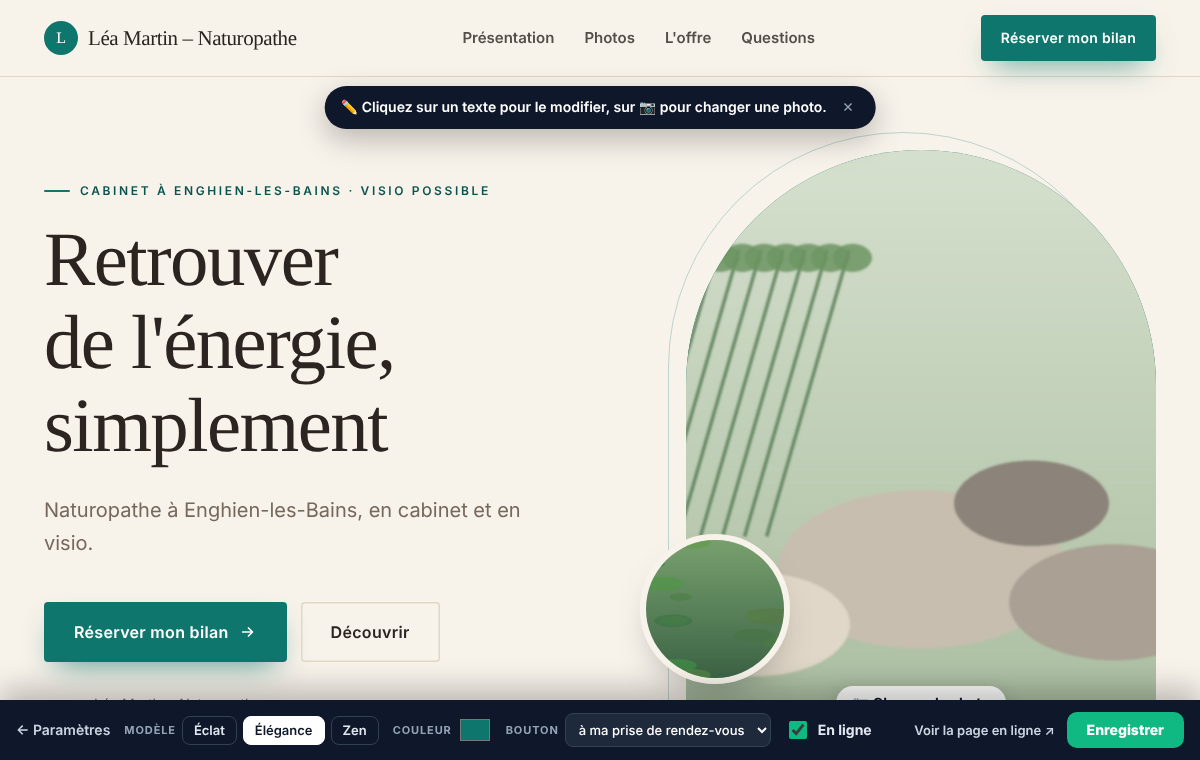
A welcome gift. A visitor who isn't ready yet leaves their email in exchange for a guide or a discount. They land in “My prospects”, and up to three messages go out on their own, then stop as soon as they book.
Google reviews, automatically (Pro plan). After each appointment, Calendrio asks your client for a review, at most once every 90 days. More reviews means more new clients choosing you.
Your partners. You display up to 6 trusted colleagues after each booking. They do the same for you: you send each other clients.
3. Go after clients
Waiting to be found isn't always enough. Calendrio also helps you go to them.
My funnel: see where your clients come from. For each page, you see the full path: visits, clicks, emails left, appointments, payments. And where they come from: Instagram, Facebook, TikTok, Google, LinkedIn, direct link. At last, you know what works.
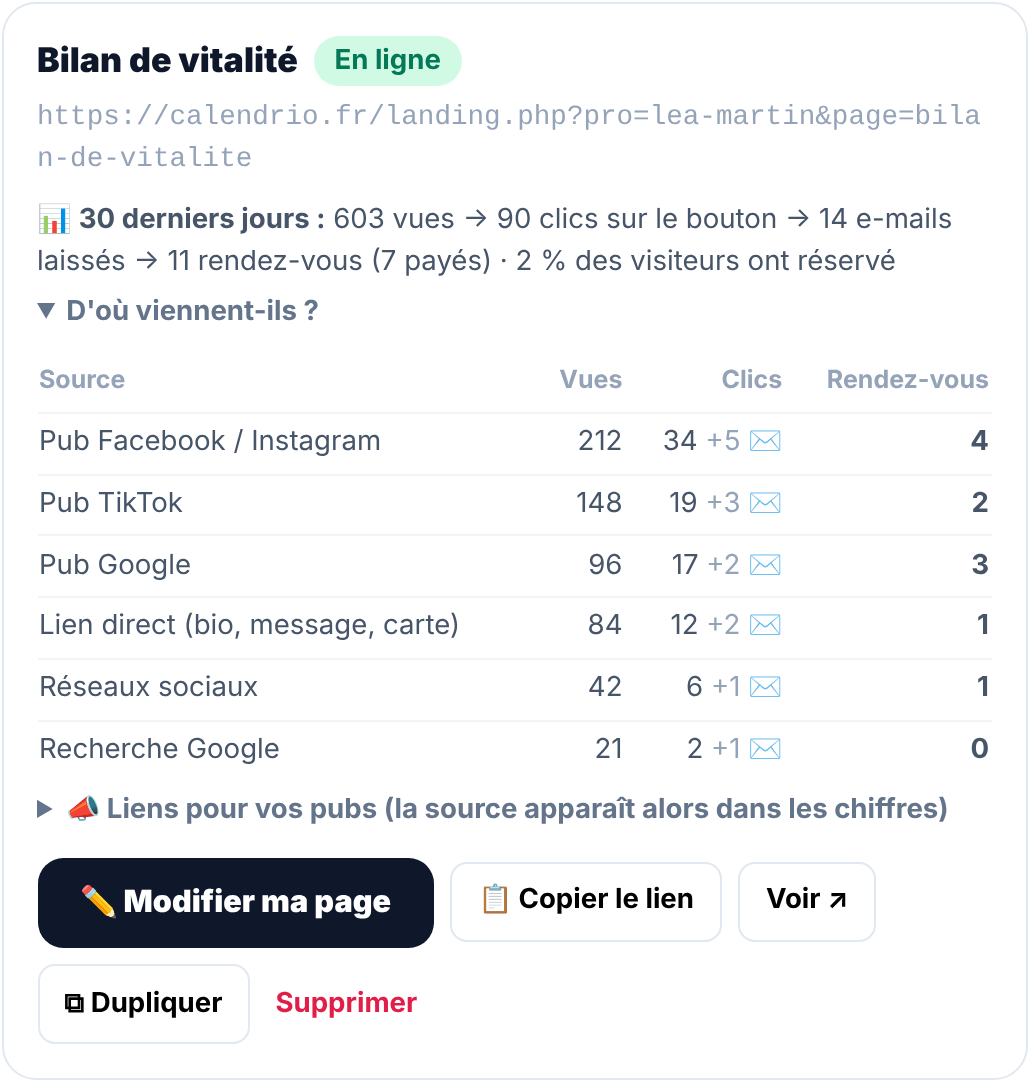
My ads: know what each ad brings in (Pro plan). Connect Facebook and Instagram, TikTok or Google Ads: each booking that comes from an ad is sent back to your ad account. You see how many appointments each ad brings in, and your ads are shown to people who actually book.
My prospects: stop losing track of anyone. One record per prospect, with its status (to contact, contacted, replied, appointment booked, client), your notes and an email reminder on the day you need to follow up.
Calendrio Prospection: we prospect for you. If you work with businesses, Calendrio Prospection finds your targets, ranks them by signs of need, writes the email and the follow-up, and sends them from your own address. You review everything before anything is sent. Replies arrive in your inbox, usually with a suggested response. Guarantee: no appointment within 60 days of the start of sending, and your 2nd month is free (if the service continues after the pilot). To understand the method properly, read Prospecting explained simply.
Your past clients. The easiest person to bring back is someone who already knows you. The “To follow up” filter and email campaigns bring them back, and you see who opened, clicked and booked.
4. Lose no client along the way
An interested client who can't reach you goes to the competitor next door. Calendrio plugs these gaps.
- Missed call → SMS (Pro plan). You're in a session and can't pick up: the caller immediately receives an SMS with your link and books on their own. The dedicated number costs €4.90 excl. VAT per month, and each SMS €0.10.
- Waiting list (Pro plan). A cancellation? Clients on the list are notified right away, and the slot gets filled again.
- Filling an empty slot (Pro plan). “Find the ideal clients” offers the free slot to your regulars, in one click.
- Reminders before the appointment and online deposits: fewer forgotten appointments, fewer no-shows.
- Being visible means getting found, making people want to book, going after clients and losing no one along the way.
- Calendrio makes you visible: a link in your name, the directory, your Google listing, a QR code, a button on your website.
- Your showcase page, your reviews and your welcome gift make people want to book.
- My funnel, My ads, My prospects and Calendrio Prospection help you go after clients.
- Start with three actions: the directory, your link everywhere, Google reviews.
Where to start this week
No need to turn everything on. Three actions are enough to get started:
- Tick “Appear in the Calendrio directory” in Settings > Network & visibility (your hours must be set first).
- Put your link everywhere: Google listing, Instagram bio, email signature, WhatsApp. You'll find ideas in 9 places to share your link.
- Turn on the Google review request after each appointment, in Settings > Automatic growth. Our method: how to get Google reviews.
Only then: the showcase page, ads, prospecting. For an overview of the approach, see also Finding clients when you're starting out and Building a sales funnel.
Don't have Calendrio yet? Create your account with this link: 3 months free for any sign-up through this link until November 30, 2026, no credit card needed.
— The Calendrio team
Frequently asked questions
Does Calendrio really help me find clients?
Do I need a website?
What's included in the Free plan?
Where should I start?
What if your calendar filled itself?
With Calendrio, your clients book online 24/7 and receive automatic reminders. 1-month free trial, no credit card required.
Try Calendrio for free